

Advantages Checklist
eBacon's exclusive bona fide fringe trust is a proven money saving $$$ solution! See all the advantages...

Integrations
Supported Accounting Packages
API

Understanding how to manage certified payroll for multiple jobs becomes critical as construction companies grow their public works workload. What worked for one or two prevailing wage projects often breaks down once payroll teams manage ten or more active jobs at the same time.

As project volume increases, construction payroll teams must track:
Without a structured process, payroll teams quickly become overwhelmed by manual corrections, missing records, spreadsheet tracking, and constant deadline pressure.
The most successful contractors build scalable payroll workflows before project growth creates operational problems.

Certified payroll is a weekly payroll report submitted for covered public works projects that confirms workers were paid according to applicable prevailing wage requirements.
Federal contractors on covered Davis-Bacon projects must submit weekly certified payroll information and maintain payroll records. (dol.gov)
Prevailing wage refers to required wage and fringe benefit rates for workers on covered public works projects.
Rates vary based on:
A wage determination is the official document listing required wage rates and fringe benefit amounts for each worker classification tied to the project.
Prevailing wage fringe benefits may include qualified employer-paid benefits or cash fringe payments used to satisfy fringe obligations under applicable rules.
The first step is creating one centralized payroll process instead of managing each project separately.
Construction payroll teams should centralize:
Fragmented systems create duplicate entry, reporting delays, and compliance risk.
Many contractors adopt certified payroll software or construction payroll software once manual spreadsheet tracking becomes difficult to manage across multiple active jobs.
One of the biggest scaling mistakes is allowing every project to follow different payroll procedures.
Use one standardized workflow for:
Consistency improves payroll visibility and reduces preventable certified payroll mistakes.
Managing ten or more prevailing wage jobs requires defined ownership across payroll workflows.
Construction payroll teams should clearly assign responsibility for:
Without clear accountability, payroll issues often fall between departments.
Public works payroll should be organized by project inside the payroll system.
Payroll teams should separate:
This becomes especially important for contractors managing both private and public works projects simultaneously.

As project volume increases, small payroll mistakes can repeat across multiple projects very quickly.
Weekly review procedures should include:
Weekly review reduces the risk of larger construction payroll audit problems later.
Managing certified payroll across multiple jobs means managing multiple reporting deadlines every week.
Payroll teams should maintain visibility into:
Late certified payroll submissions can delay payments and create compliance issues with agencies or project owners.
Construction payroll audits become more difficult as project volume grows.
Payroll teams should maintain organized records for:
Federal payroll records for Davis-Bacon-covered projects generally must be retained for at least three years after project completion.
Strong documentation reduces audit stress significantly.
Standard checklists reduce inconsistency between projects and improve payroll accuracy.
Manual spreadsheets become harder to control as project count increases.
Spreadsheet-heavy workflows often create:
Late or incomplete timecards create major payroll bottlenecks.
Strong communication procedures improve payroll speed and reporting accuracy.
Many contractors move to prevailing wage software once project growth makes manual tracking unsustainable.
eBacon helps contractors manage certified payroll reporting, fringe benefit tracking, labor compliance construction workflows, DIR certified payroll, and public works payroll across multiple active jobs.

Disconnected workflows increase administrative burden and reduce payroll visibility.
Late review often allows payroll errors to continue across multiple payroll cycles.
Manual tracking becomes increasingly difficult as public works workload grows.
Classification mistakes remain one of the most common certified payroll compliance problems.
Poor recordkeeping increases audit risk and correction workload later.
Learning how to manage certified payroll for multiple jobs helps contractors reduce payroll stress, improve compliance visibility, and support long-term project growth.
The strongest payroll operations focus on:
When payroll systems scale with project growth, construction teams spend less time reacting to payroll problems and more time supporting active jobs successfully.
See how eBacon simplifies certified payroll reporting and prevailing wage compliance across multiple jobs. Book a quick demo.
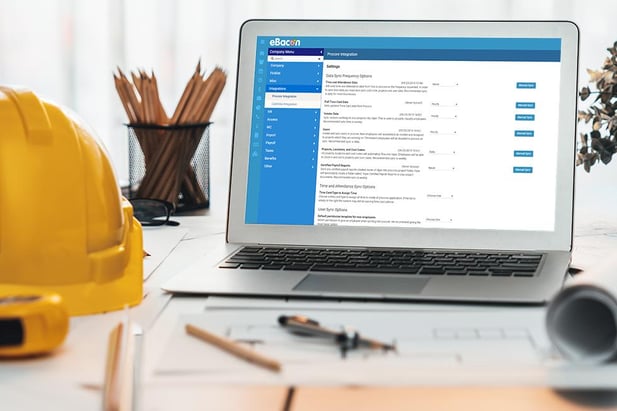
Most contractors centralize payroll tracking, standardize reporting workflows, separate projects inside payroll systems, and review certified payroll reports weekly before submission.
One of the biggest challenges is maintaining consistency across classifications, fringe benefit tracking, reporting deadlines, and documentation procedures as project volume grows.
Spreadsheets may work temporarily, but they often become difficult to manage as project count, worker classifications, and reporting requirements increase.
Certified payroll software can centralize reporting, automate workflows, improve fringe benefit tracking, reduce manual entry, and improve visibility across multiple public works projects.

