Construction Time Tracking Software
Construction time tracking software records crew hours in the field and sends them straight to payroll. eBacon's mobile app lets crews clock in from the jobsite, tags every punch with job, task, and classification codes, and turns those hours into prevailing wage pay, job costing, and certified payroll reports for contractors with 15 to 500 employees.
eBacon attaches the job, task, and classification to every punch the moment a worker clocks in, so payroll gets hours that are already coded and ready to pay. Paper timesheets written up on Friday from memory make for impressive fiction and a rough start to certified payroll.

What is construction time tracking software?
Construction time tracking software replaces paper timesheets with digital punches that record who worked, when, where, and on which job, task, and classification. Because each punch carries those details, the hours can move straight into payroll, job costing, and prevailing wage pay rates without anyone retyping them.
Real Time GPS Tracking

Timekeeping Syncs With Complex Rate Engine

Crews clock in and out from the free eBacon app on Apple or Android phones, or from a tablet or laptop. Job numbers and task codes come preloaded, so nobody has to remember which code goes with which job. For crews at the same site every day, eBacon can preset the codes so they're selected automatically.
eBacon records punches even without cell service and syncs them automatically once the phone reconnects, so a dead zone on a remote site doesn't turn into a missing hour on payroll.
eBacon does. eBacon combines GPS clock-in, jobsite geofencing, and a prevailing wage rate engine in one construction payroll platform, so every punch on a prevailing wage job is checked against the jobsite and paid at the right rate for that job and classification. Geofences keep punches tied to the actual site, which ends buddy punching along with the “I was there by six, I swear” conversation.
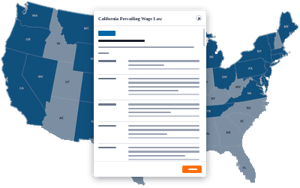
eBacon's rate engine calculates each worker's pay rate from the wage determination for the project location and job classification. You provide the wage determination, and eBacon applies the right rate to every hour punched against that job.
eBacon also applies overtime and double-time automatically based on the project's location and prevailing wage rules, so nobody is doing overtime math on a napkin on payroll day. Pay differentials, multiple shifts, and several classifications for the same worker are handled in the same pass. The prevailing wage software page covers the rate engine in more detail.
Foremen see their crews' punches in real time, so a missed punch or a wrong job code shows up the same day instead of at payroll cutoff. Foremen and admins can edit punches directly, and every punch lands in one electronic timesheet that the field, payroll, and scheduling all work from.
Every punch is tied to a project, task, and classification, so labor costs land on the right job without anyone sorting timesheets after the fact. eBacon reports labor hours by classification each month and labor by task on each job, which shows where crew hours are going while there's still time to adjust.
Workers can switch tasks during the day, and eBacon tracks time minute by minute, with six ways to track time by job, task, or shift. More on how those hours roll into job budgets is on the job costing page.
PTO requests and accruals, holiday pay, and expense and mileage reimbursements all run through the same app crews already use to clock in. Schedulers can see who's working, when, and on which jobsite, and they can spot scheduling conflicts and upcoming PTO before a crew comes up short.
What is eBacon?
How does time tracking connect to certified payroll reports?
The hours, classifications, and rates captured at the punch are the same data eBacon uses to build the WH-347 and state certified payroll reports in one click. The certified payroll reporting page shows which reports eBacon generates.
If you have fewer than 15 employees and no prevailing wage work, a basic time clock app may be all you need.

Time & Attendance Widget
Take a video tour of our Time & Attendance Widget and see how easy and seamless cloud-based timekeeping can be.
Frequently asked questions about construction time tracking
Most crews clock in on their own phones with the free eBacon app for Apple and Android, but workers can also record time from a tablet or laptop. That gives contractors an option for crew members who'd rather not use a personal phone, as long as there's a device they can reach at the start and end of a shift.
Yes. Workers can switch tasks during the day, and eBacon tracks time minute by minute against each job, task, and classification. When a worker moves from one classification to another on a prevailing wage job, eBacon's rate engine pays each block of hours at the rate for that classification, so mixed days don't need manual math.
Yes. eBacon tracks time the same way on private and public jobs. Prevailing wage rates apply only to jobs where you've provided a wage determination, and every other job pays at your regular rates. Crews use one app for every job, and payroll sees all of their hours in one place instead of two systems.
eBacon runs your construction payroll and connects to your general ledger, so hours tracked in the field flow into payroll, job costing, and your books without a second round of data entry. The general ledger integration page lists how eBacon connects with the accounting software contractors already use.